
Coding Assistant Guardrails
Give developers AI coding assistants. Stay in control.
Give developers the AI assistants that make them faster, and keep control of what those assistants can access, send, generate, and run.
The challenge
Code, secrets, tools, and execution are invisible to traditional security.
Today’s coding assistants do not just suggest code, they act. The agent reads repositories, writes files, runs commands, calls tools, chooses models, and operates inside the same workflows developers use to build and ship software. That puts source code, secrets, local runtimes, package managers, MCP tools, and shell access inside a single AI-assisted session.
Traditional controls were not built for that path. SAST sees code after it exists. File-based DLP is not designed for secrets or source code that leave through a prompt rather than an upload. Secure web gateways often cannot decode the protocols coding assistants use without breaking the user experience.

Velocity is the incentive for teams to adopt AI coding assistants. Without guardrails at the point where code is written, sent, generated, and run, that velocity scales risk.
When a developer pastes a secret, an assistant uses the wrong license, a model returns a poisoned package, or an agent runs a risky command, security needs context before the action lands.
Where to start
Effective controls for
AI-assisted development.

Discover coding assistants in use
Find sanctioned tools, shadow tools, and newly observed assistants security has not vetted yet, with day-zero discovery rather than a fixed allowlist.
Discover and Monitor AI
Enforce the right license, seat, and model
Allow only sanctioned seats, tiers, and models, so a personal or consumer license never stands in for the enterprise seat that carries your data and IP protections.
AI Governance & Compliance
Keep secrets from leaving
Redact keys, tokens, and credentials in flight before an assistant or an unapproved model ever receives them.
Read the Product Brief
Contain risky commands before they run
Stop destructive or exploitative commands and runtimes before they reach the shell, caught by policy rather than left to a developer to notice in time.
Explore the Product
Stop prompt injection and poisoned packages
Detect and neutralize hijacked instructions, typosquatted packages, and spoofed content before they reach the agent or the environment.
Safeguard AI Use
Govern MCP tool use and agent permissions
See MCP tool calls down to their parameters on supported paths, and govern the runtime environment and discretionary tools available to each agent.
Secure Agentic AIThe risk surface
The six risks AI coding assistants create.
Each one can appear in the same session, which is why a single control point has to cover all of them.
Proprietary code and intellectual property leaving through a prompt, an unapproved model, or a personal account.

Keys, tokens, and credentials pasted into an assistant and sent to a model.

Insecure code and risky packages that reach the developer workflow or a pull request.

Hijacked instructions hidden in repositories, READMEs, docs, web pages, and MCP outputs.

Commands and runtimes that delete, modify, or exfiltrate before anyone reviews them.

Consumer licenses, unsanctioned models, and risky plugins, extensions, and MCP servers in the development environment.

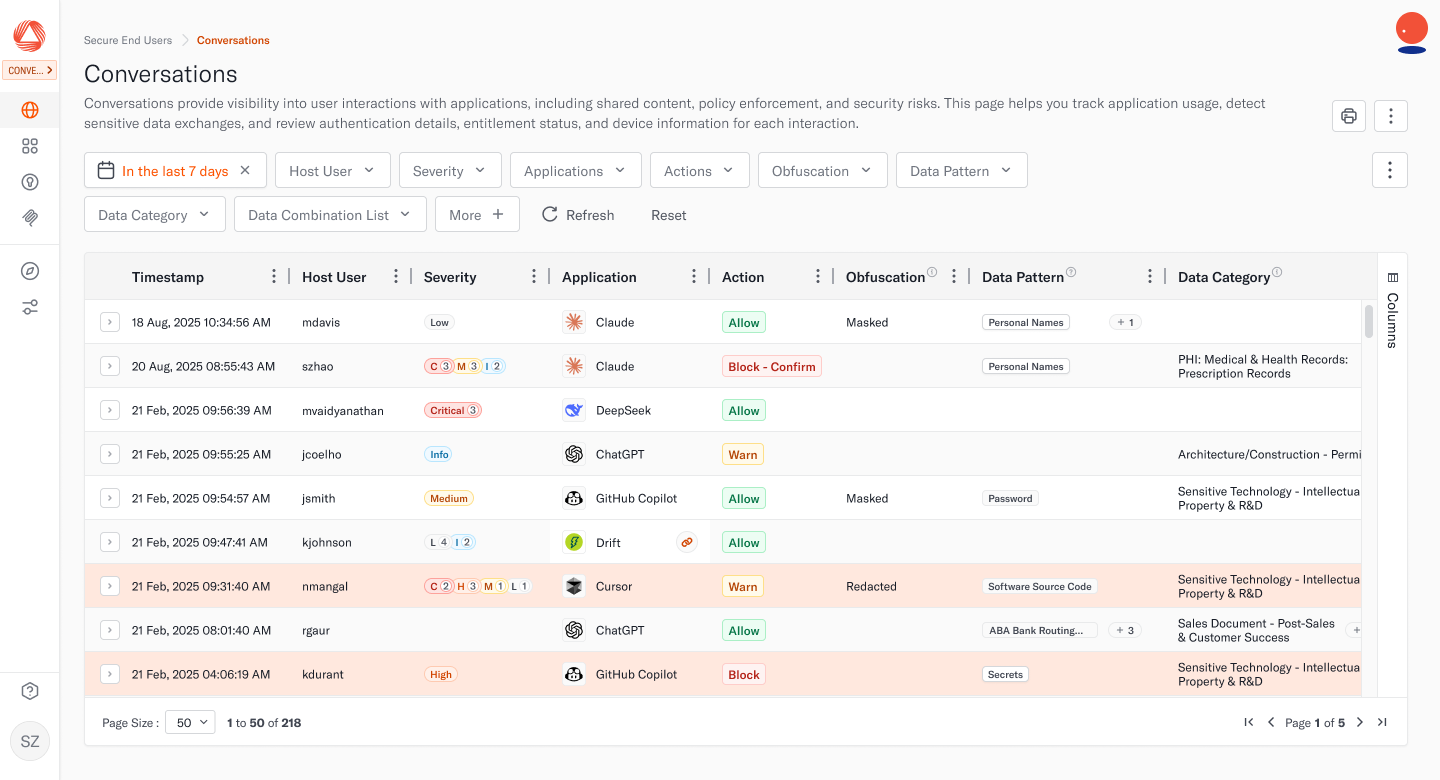
Controls enforced inline
Stop risk in real time, without breaking developer flow.
Policy is enforced inline, before a risky command reaches the shell or a secret leaves. Because inspection is built to preserve native streaming for the end-user, you get control without slowing down developers.

Risky commands, controlled.
A destructive command such as a recursive delete of a service directory, or a push of private code to a public remote, is caught inline before it is exchanged. It stays inside the network, and policy can block it or hold it for confirmation.

Secrets, redacted.
A cloud access key deep within a prompt is blocked or masked before it is sent to the model, and policy flags show which keys may need rotation.

Pointed packages and links, blocked.
A typosquatted package or a spoofed site returned to a coding assistant is blocked before it reaches the environment, and the user is told the agent was targeted.

Prompt injection, contained.
A hijacked instruction hidden in a README or a connected document, telling the agent to post secrets to an external site, is detected and neutralized.

License and model, redirected.
A personal or consumer license used in place of the sanctioned seat is blocked and redirected, so sensitive code is routed through trusted, governed licenses.

Plugins, extensions, MCP, governed.
Risky IDE plugins, assistant extensions, and MCP servers are discovered, so security can govern which ones are used with enterprise code.
Team Outcomes
Teams move faster, safer.
Here is how Aurascape guardrails for AI coding assistants helps security, engineering, developers, compliance, security operations, and leadership teams.

Security and AppSec
Prevention at the point where code is written and run, with risky commands, leaked secrets, and injection stopped inline.

Engineering and platform leaders
The productivity of AI coding without the crown-jewel risk, plus visibility into paid-seat adoption.

Developers
The tools they already use and the speed they expect, with guidance in the moment instead of blanket bans.

Compliance and IP owners
Auditable records of what each assistant accessed, generated, and sent, and evidence that proprietary code is governed through sanctioned licenses.

Security operations teams
Full conversation logs, with RBAC, so you can understand exactly the prompts, responses, connections, and tool calls which contributed to policy flags or incidents.

Leadership
Natural-language querying of all AI coding assistant activity gives you immediate answers about how these tools are used and any associated risks.
FAQ
Common questions about securing AI coding assistants.
Yes, Aurascape supports assistants like Claude Code, Cursor, GitHub Copilot, Codex, and Windsurf, and it decodes the streaming transports and encodings they rely on, including Server-Sent Events, Model Context Protocol (MCP), Protobuf, WebSockets, and gRPC. Day-zero discovery brings newly observed assistants, IDE plugins, and extensions into visibility and control, so coverage does not depend on a fixed allowlist somebody maintains by hand.
Source code behaves differently from a secret, because the moment an assistant reads a repository the code has been sent. There is no point at which you strip the proprietary parts out, so the control is destination rather than blockade. Aurascape governs where code can go on supported paths, keeping it out of unapproved models and personal accounts, so proprietary code travels only under licenses your organization has approved.
Yes, Aurascape decodes the coding session and evaluates shell commands a coding agent tries to run. A destructive or exfiltrating command, such as a recursive delete of a service directory or a push of private code to a public remote, is caught inline before it is exchanged, so it stays inside the network and never reaches the shell. Policy can stop it outright or hold it for confirmation.
Yes, Aurascape detects the seat, license tier, and model in use, so a personal or consumer license used in place of the sanctioned enterprise seat is caught and redirected to the governed one. The same signal shows which paid seats are being used, which informs entitlement and spend decisions alongside security ones.
Code scanning inspects code after it exists, mostly at commit or in the pipeline. Aurascape governs the assistant while it works, inline, so a pasted secret, a risky command, or a poisoned package is stopped in the live session before an artifact exists to scan. Risky generated code is detected and routed to review alongside the scanners you already run, which makes this additive to your AppSec tooling rather than a replacement for it.
Aurascape preserves native streaming, so inspection is designed to avoid becoming a workflow bottleneck. Developers keep the assistants and the response times they expect. When policy does stop something, the developer sees an explanation and a safer path in the browser, the IDE, or the command line, instead of a silent failure that sends them to an unmanaged tool.
Let developers move fast with AI coding assistants, within guardrails.
See how Aurascape secures the coding assistants your developers use, inline and without unnecessary friction.